> ## Documentation Index
> Fetch the complete documentation index at: https://moengage-doc-2312-standard-user-attributes.mintlify.site/llms.txt
> Use this file to discover all available pages before exploring further.
# How to Find Users With Bounced Emails?
> Identify users with hard-bounced or soft-bounced emails in MoEngage using campaign IDs, segmentation filters, and user attribute-based queries.
## Problem
Unable to identify users with bounced emails.
## Explanation
* An email hard bounce occurs when the MoEngage system detects that the recipient's email address does not exist. This tracking is unique for each user based on their user ID.
* An email soft bounce is tracked in the MoEngage system when there is a temporary delivery issue. This tracking is unique for each user based on their user ID.
## Solution
Perform the following steps:
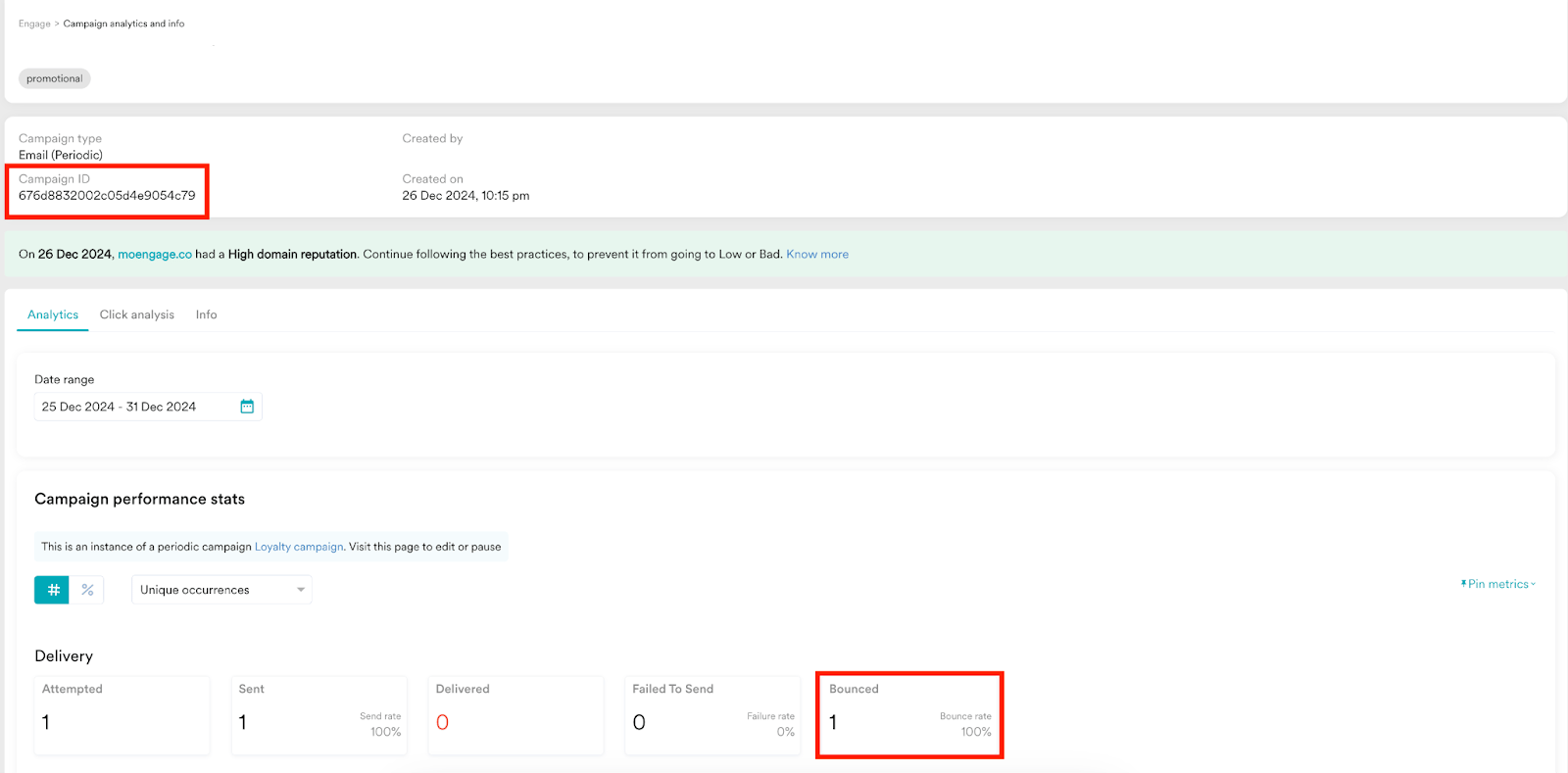
1. Go to the desired Email campaign to identify users who have encountered bounced emails.
2. Copy the campaign ID.
 3. Hover over to the left menu and select **Segment** > **Create segment**.
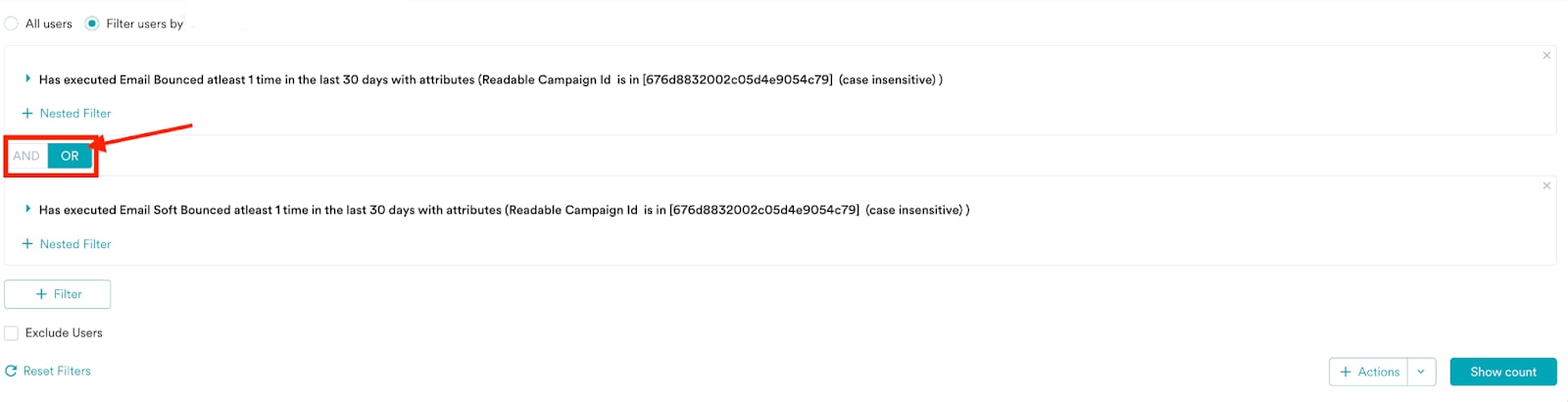
4. While creating the segment, use the **OR** condition instead of the **AND** condition between the *Email Bounced* and *Email Soft Bounced* events in the nested filters.
3. Hover over to the left menu and select **Segment** > **Create segment**.
4. While creating the segment, use the **OR** condition instead of the **AND** condition between the *Email Bounced* and *Email Soft Bounced* events in the nested filters.
 For more information on how to export users and access user profiles, refer to [User Data Exports](/user-guide/analyze/analytics/user-data-exports).
## Example
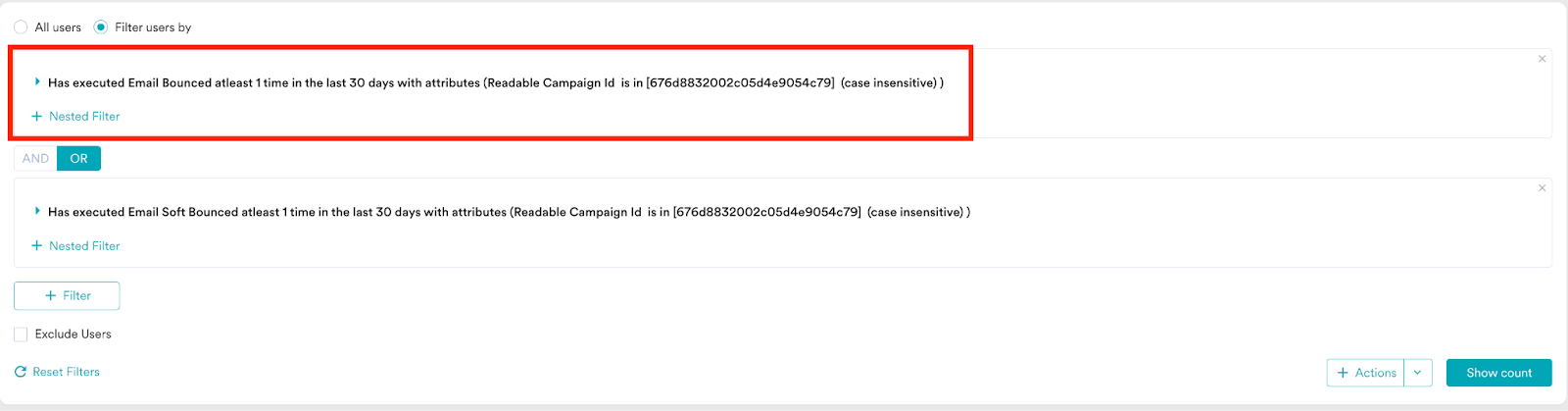
* As shown in the following screenshot, the first filter searches for users who experienced at least one hard email bounce in the past 30 days.
For more information on how to export users and access user profiles, refer to [User Data Exports](/user-guide/analyze/analytics/user-data-exports).
## Example
* As shown in the following screenshot, the first filter searches for users who experienced at least one hard email bounce in the past 30 days.
 * The second filter searches users who experienced at least one soft bounce in the past 30 days.
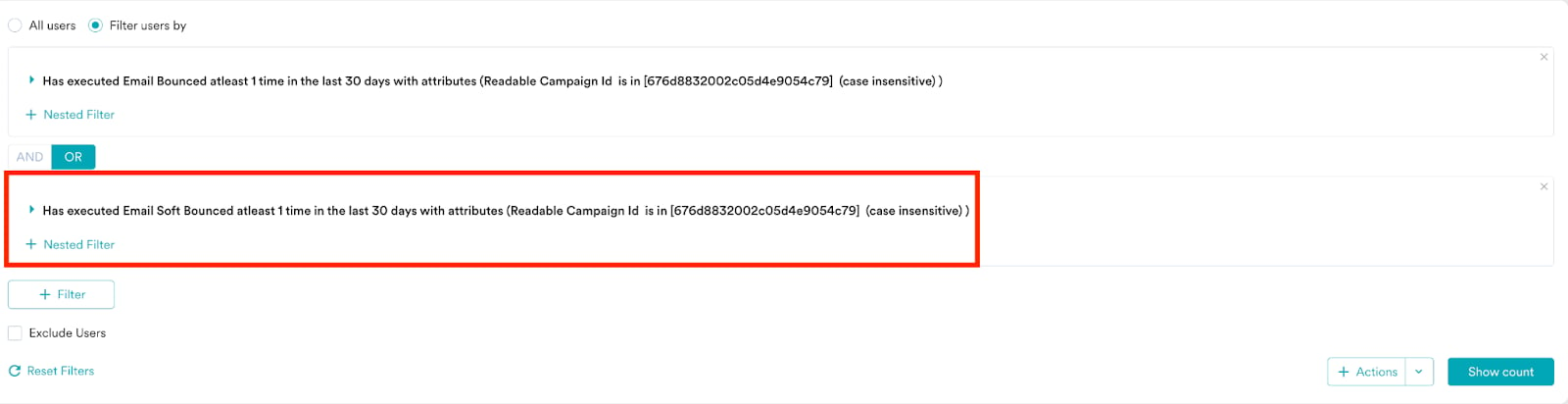 * In both filters, the **Readable Campaign Id** (case-insensitive and dependent on a specific scenario) matches the specified value.
* As a result, hard or soft bounce emails associated with **Readable Campaign Id** in the past 30 days will be identified as true.
* In both filters, the **Readable Campaign Id** (case-insensitive and dependent on a specific scenario) matches the specified value.
* As a result, hard or soft bounce emails associated with **Readable Campaign Id** in the past 30 days will be identified as true.
